Thabooq v1.3.0 Release: Smarter Balances, Time-Aware Orders, and Printer Control
Thabooq v1.3.0: Smarter Balances, Time-Aware Orders, and Printer Control
Thabooq v1.3.0 is focused on operational accuracy and visibility. Partner balances are now tracked at the ledger level and surfaced everywhere the POS and reports touch customers, date pickers finally honor both date and time, and device/printing workflows get their own configuration options. We also strengthened validation and caching to keep the UI in sync with the upgraded backend.
🚀 What’s New
-
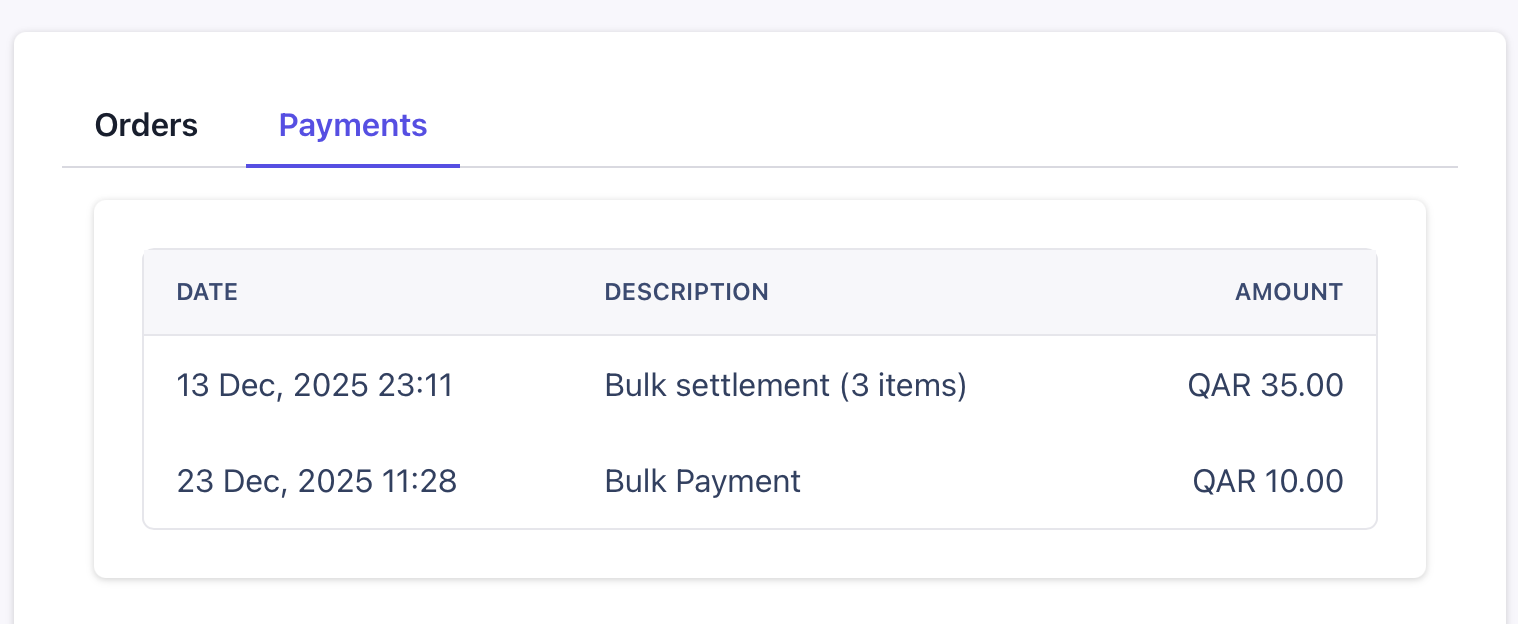
Reports & payments insights: The Reports page highlights a refreshed Business Report card so you can drill into revenue, collection, and payment statistics, plus every contact now has a Payments tab with a full history table and printable payments receipts for easy sharing.
-
Order schedule visibility: The new Sales Order schedule view surfaces daily load by expected completion date with calendar navigation so teams can confirm workloads before picking up laundry orders.
-
Partner balances you can trust: Customer account balances now stay accurate automatically, and the POS/Sales Order views reflect the latest receivable/payable totals so you always know who owes what.
-
Orders with precise timing: Order dates can now capture hours and minutes, laundry workflows default to “same time tomorrow,” and every order detail includes the expected completion timestamp for better planning.
-
Smarter form validation: Item creation ensures every variant has a price before saving and replenishes missing laundry variants, while contact forms discard blank addresses to keep records clean without extra effort.
-
Printing and cache improvements: Restaurants get a dedicated Printer Settings area plus better KOT printing support, and the app keeps partner data fresh by clearing cached customer lists whenever someone changes.
-
Polished UI touches: Partner selectors now show identifiers alongside phone numbers, and sales order summaries highlight completion times so staff can confirm schedules at a glance.
🧱 Reliability Boosts
-
Automatic cache refresh: Partner lists are refreshed automatically after creates, updates, or deletes so you never see stale customer data.
-
Cleaner device/printing setup: Printer settings and offline caching work together to keep point-of-sale stations responsive, even when switching devices.
-
Self-healing balances: Behind the scenes, balance checks keep customer ledgers accurate whenever journal entries change, so discrepancies are resolved without manual work.